HomeNewsSales report: which product, which client?
See which product and which customer earn you money with the Leads sales report

You know the revenue, but do you know where it comes from?
Most businesses know their total sales figure. But ask how much of it comes from three customers, which product group is growing and which is standing still, and files are opened and formulas written.
When the answer is late, decisions are late too: stock, campaigns and staffing are planned on guesswork.
How the sales report works in Leads
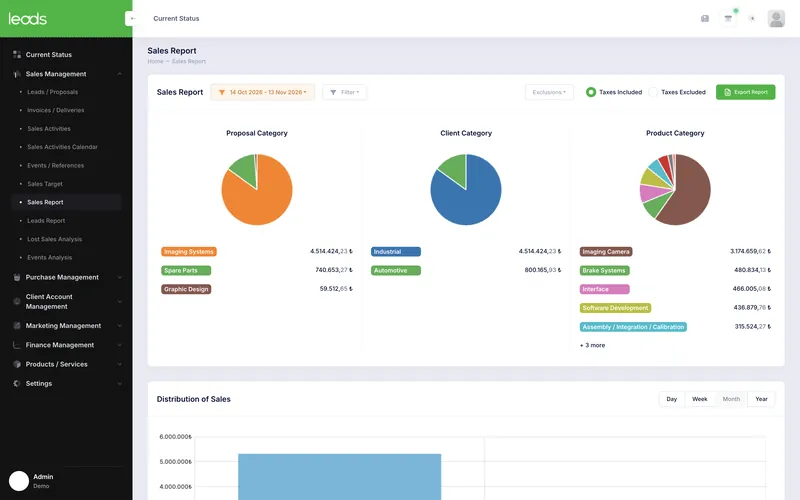
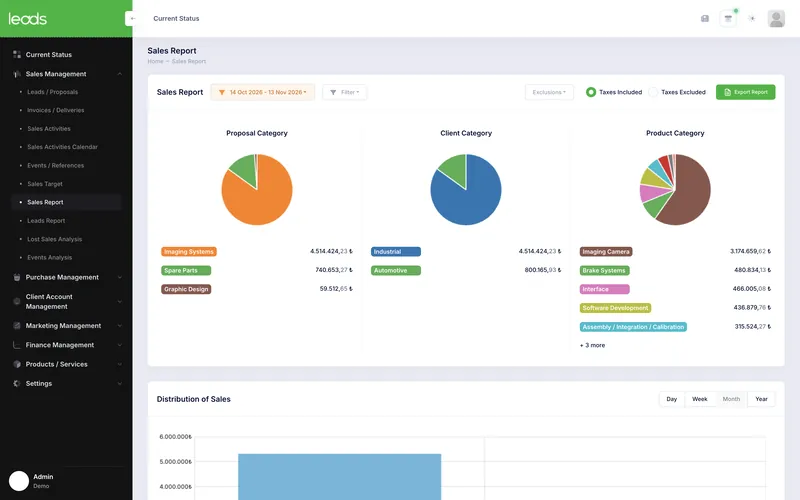
On the Sales Report screen you choose the date range. Leads splits won sales by proposal category, client category and product category and shows each breakdown as a chart with amounts.
You enter no extra data for the report. Its source is the leads and proposals the team already records in Leads. In the same area you can also see how sales are distributed by location.
What it brings to your business
- You see dependency: if most revenue hangs on a few customers, you act.
- You invest in the right product: stock and advertising go to the growing category.
- You compare periods: where this quarter differs from the last is visible at once.
- Preparing reports stops being a job: the chart is current every time you open it.