HomeNewsImport your customer list in bulk
Bulk import arrives in Leads: move your customer list in minutes

What delays the move to a new system: data entry
Many businesses want to move to orderly customer tracking, but the thought of retyping hundreds of records postpones the decision. The longer the move waits, the bigger the list and the harder the job.
Manual entry also brings unavoidable mistakes: missing phone numbers, companies typed twice, mixed-up emails.
How import works in Leads
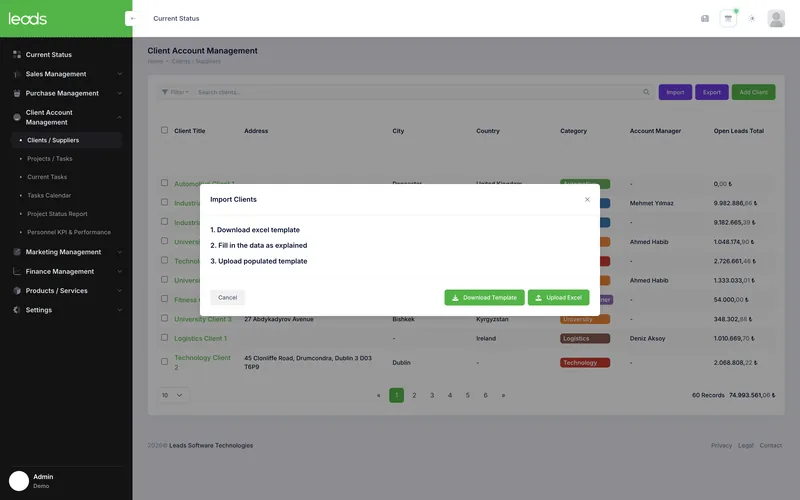
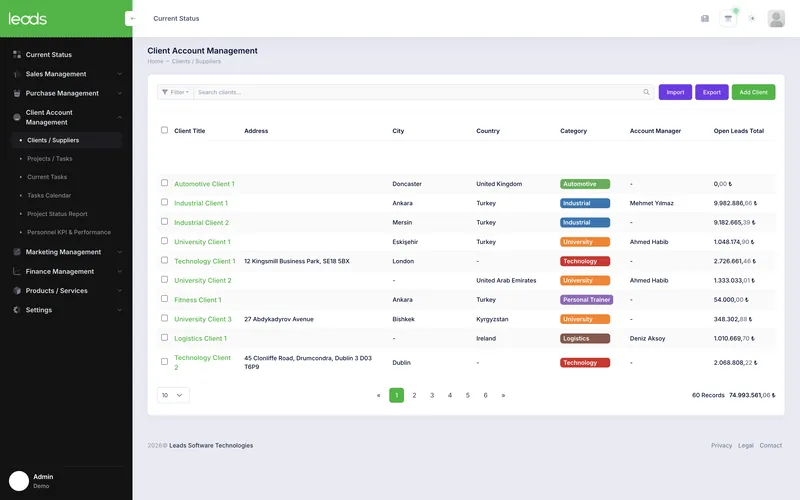
You download the import template from the Clients screen. You place your existing list into the template’s columns and upload the file; the records are created as customers in Leads.
From the same screen you can also export your list. Your data is yours: you take it out as a spreadsheet whenever you want and use it elsewhere.
What it brings to your business
- Day one starts productive: the team meets its own customers, not an empty screen.
- Fewer entry errors: the list is brought in at once, in the same format.
- Scattered files merge: everyone’s private list becomes a single shared one.
- No lock-in: you can always take your data out.