HomeNewsSales activities: every conversation logged
Record every customer conversation with Leads: sales activities

Where do the meeting notes go?
At the end of a day in the field, what is remembered goes into a notebook, a phone, or nowhere. When the customer calls a week later, people try to recall what was last discussed.
When a customer has to explain the same thing twice, trust suffers. And when someone leaves the team, the whole story of that customer leaves with them.
How sales activities work in Leads
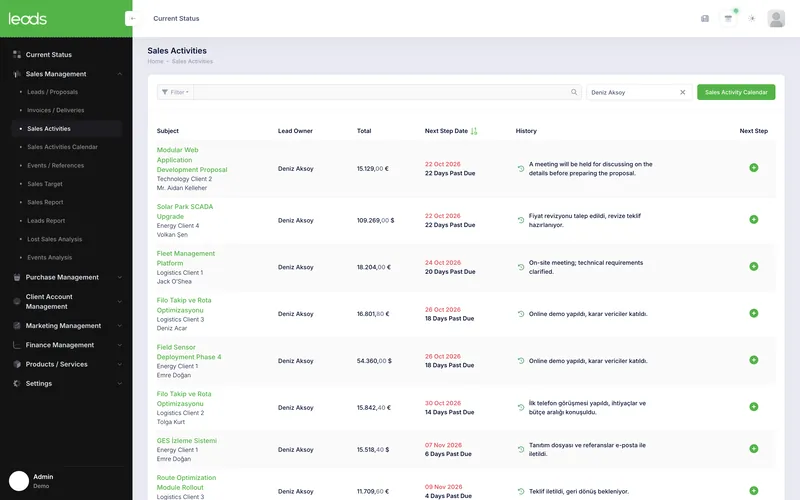
A call, a meeting, a demo or an email: you add each conversation as an activity under its lead. A short note and the date of the next step are enough.
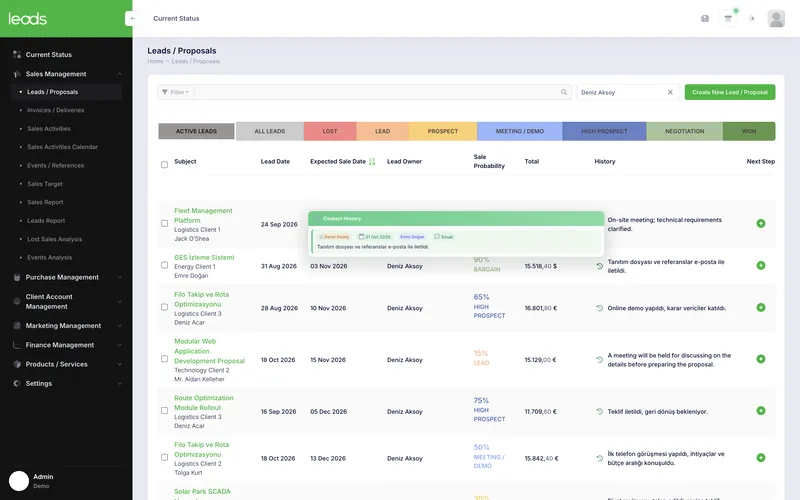
These records show up in the History and Next Step columns of the leads list; on the Sales Activities screen you follow the whole team’s conversations with filters. Because Leads runs in the browser, you can enter the note from your phone the moment you leave the meeting.
What it brings to your business
- The customer does not repeat themselves: whoever opens the record sees the latest status.
- The next step is clear: what to do and when is written next to every lead.
- Knowledge stays in the company: customer history survives staff changes.
- Coaching is easier: a manager reads from the record where a conversation got stuck.