HomeNewsProjects and tasks after the sale
Follow the work after the sale too with Leads: projects and tasks

The information lost between sales and delivery
The salesperson makes a promise, the work passes to another team and the details of the promise get lost on the way. The customer explains once more; the delivery date slips.
When work tracking lives in one tool and customer information in another, who is waiting for what becomes unclear.
How projects and tasks work in Leads
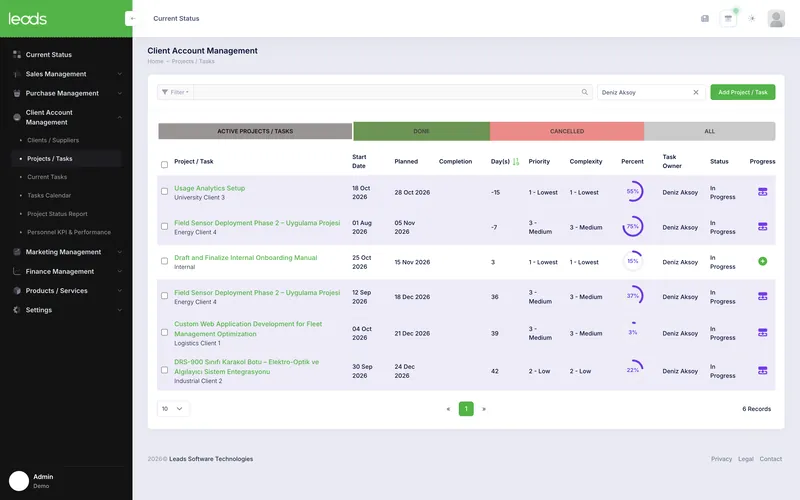
On the Projects / Tasks screen you open each job together with its customer. You split the project into sub-tasks and set an owner, a priority and a due date for each.
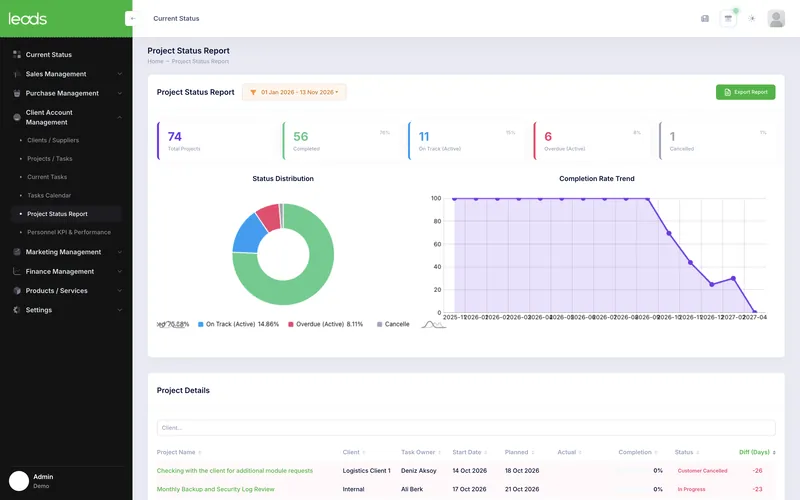
The Current Tasks list shows the work in progress and the Tasks Calendar shows the dates. In the Project Status Report you read the state of projects and the trend of completion.
What it brings to your business
- Promise and delivery meet in the same record: what was agreed in the sale is in front of the team doing the work.
- Responsibility is clear: every task has an owner and a date.
- Late work shows early: the status report reveals problems before they grow.
- You update the customer with confidence: you read the stage of the work from the record.