HomeNewsPrice lists and currencies
Price lists arrive in Leads: give every customer group the right price

Which price is current, and which one is for whom?
In most businesses prices are spread across several files. The dealer list is in one place, the campaign price in another, the foreign-currency price in someone’s inbox.
A single proposal given from the wrong list either costs you margin or strains the relationship. And when prices rise, an old list still in circulation is a risk of its own.
How price lists work in Leads
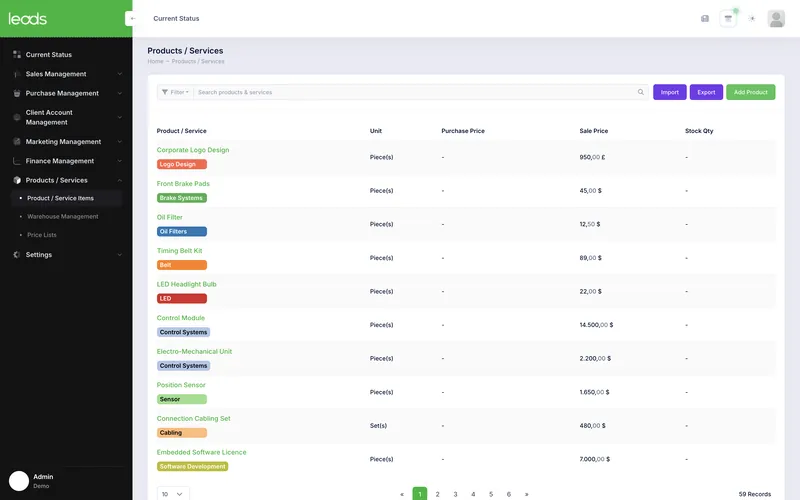
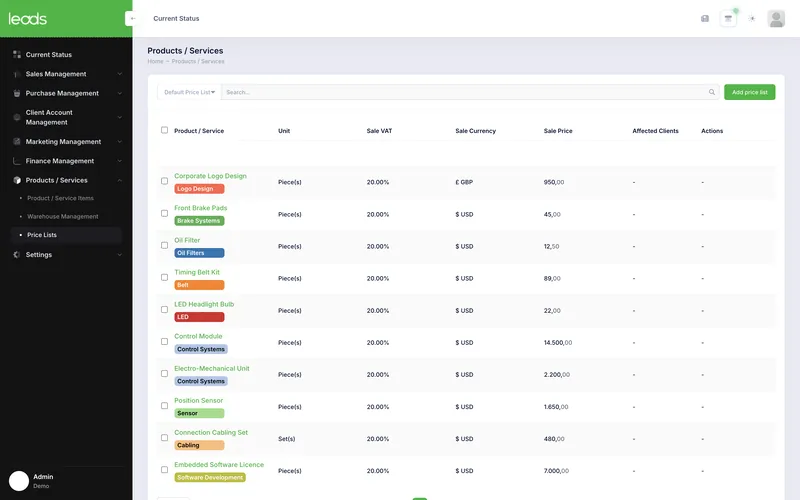
You enter your product and service items in Leads once. On the Price Lists screen you create different lists for these items and define each list’s own prices.
You can follow proposal amounts in lira, dollars or euros. When you pick an item while preparing a proposal, the price comes from the list; there is nothing to type or remember.
What it brings to your business
- One correct price: everyone on the team quotes from the same current list.
- Margin is protected: no proposal goes out with a wrong or outdated price.
- Price changes get easier: you update the list and later proposals are prepared with the new price.
- Clarity in export sales: foreign-currency proposals are followed in their own currency.