Why does preparing a proposal take so long?
An old proposal file is found, the customer name is replaced, prices are updated by hand and totals recalculated. A line is forgotten, or the previous customer’s name stays in a corner.
Every day the customer waits for the proposal, the decision cools down. A fast, error-free proposal is the most neglected advantage in sales.
How a proposal is prepared in Leads
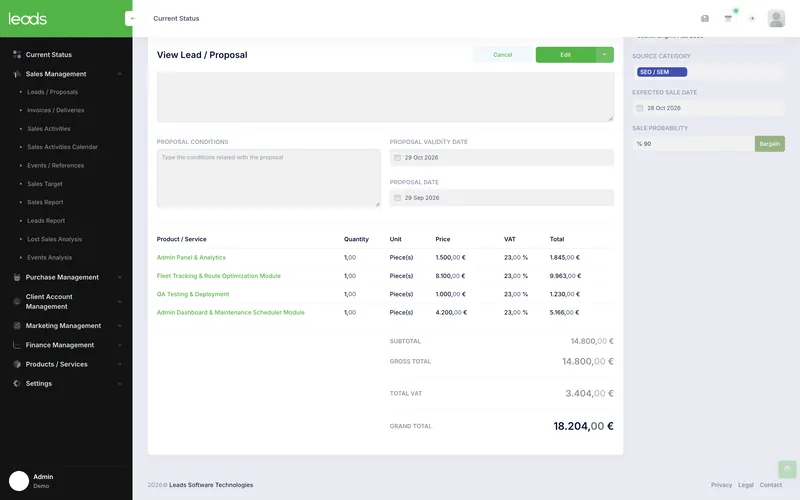
You create the proposal inside the lead. You pick product and service items from your list and enter quantities and discounts; subtotal, tax and grand total are calculated automatically.
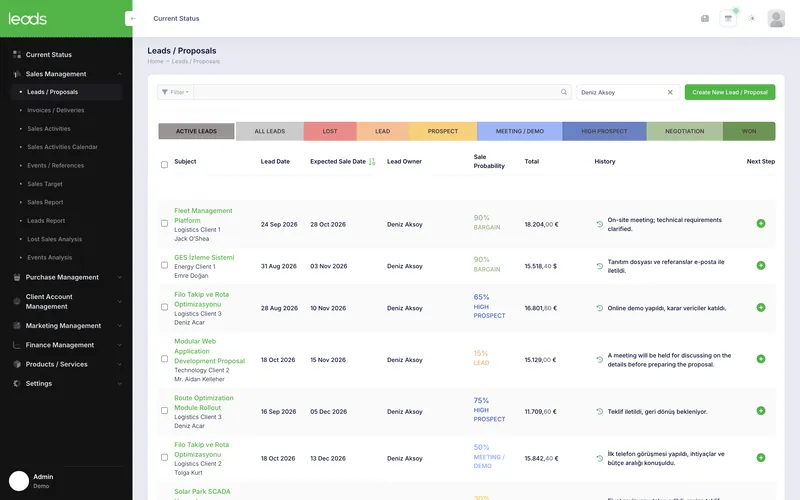
Leads produces the proposal as a PDF with the template you choose. The proposal stays attached to the lead: the amount appears in the list and is written to the history as the stage moves on. You never have to search for which price you gave to which customer.
What it brings to your business
- Speed: you send the proposal as soon as you leave the meeting.
- Consistency: every proposal comes out in the same layout with the same professional look.
- Correct totals: calculator and copy-paste mistakes disappear.
- A record: every proposal stays in the history of the lead, so the knowledge remains in the company even when someone leaves.