HomeNewsCampaign management for the right group
Define your campaigns for the right customer group with Leads

A campaign is announced, and then who remembers it?
A campaign is announced by email. A few weeks later everyone remembers differently which customers were covered, which products the discount applied to and when it ended.
One person applies an expired discount, another forgets to apply it for an eligible customer. Both hurt trust and margin.
How campaign management works in Leads
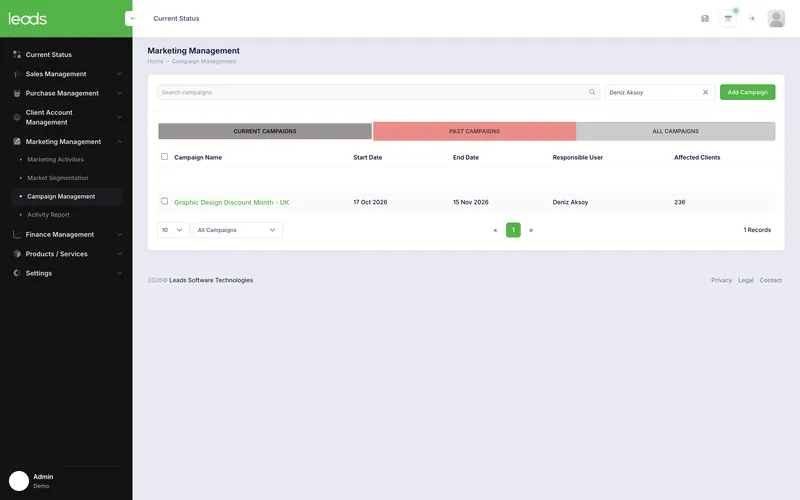
On the Campaign Management screen you give the campaign a name, start and end dates and a responsible user. In the campaign conditions you decide which customers are covered by choosing a country, a segmentation or a client category.
In the products section you define the items included and the discount rate. The list shows current and past campaigns in separate tabs, with the number of affected customers.
What it brings to your business
- One definition: the scope and duration of the campaign are the same for everyone.
- The right target: the campaign is defined for customers in the relevant segment or category.
- Expired discounts are not applied: the dates are on record.
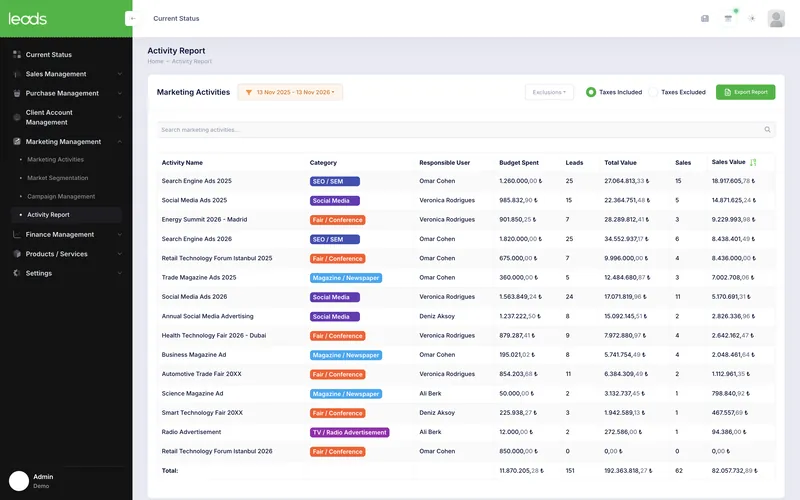
- Results are measured: in the marketing activity report you see budget spent, leads generated and sales side by side.